More than one number
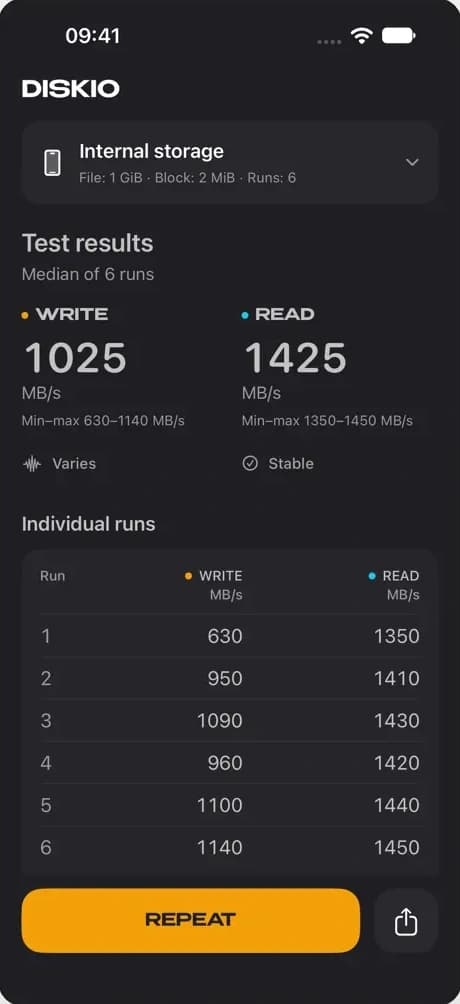
Choose 1, 3 or 6 runs. Repeated tests show median read and write speeds, minimum and maximum values, and the result of every run.
 ioapps
Diskio
Disk & SSD Speed Test
Version 3.1.0 · Made for iPhone
Measure sequential read and write speeds on your iPhone or a compatible external drive. See median speeds, ranges and every individual run.
A clearer storage benchmark
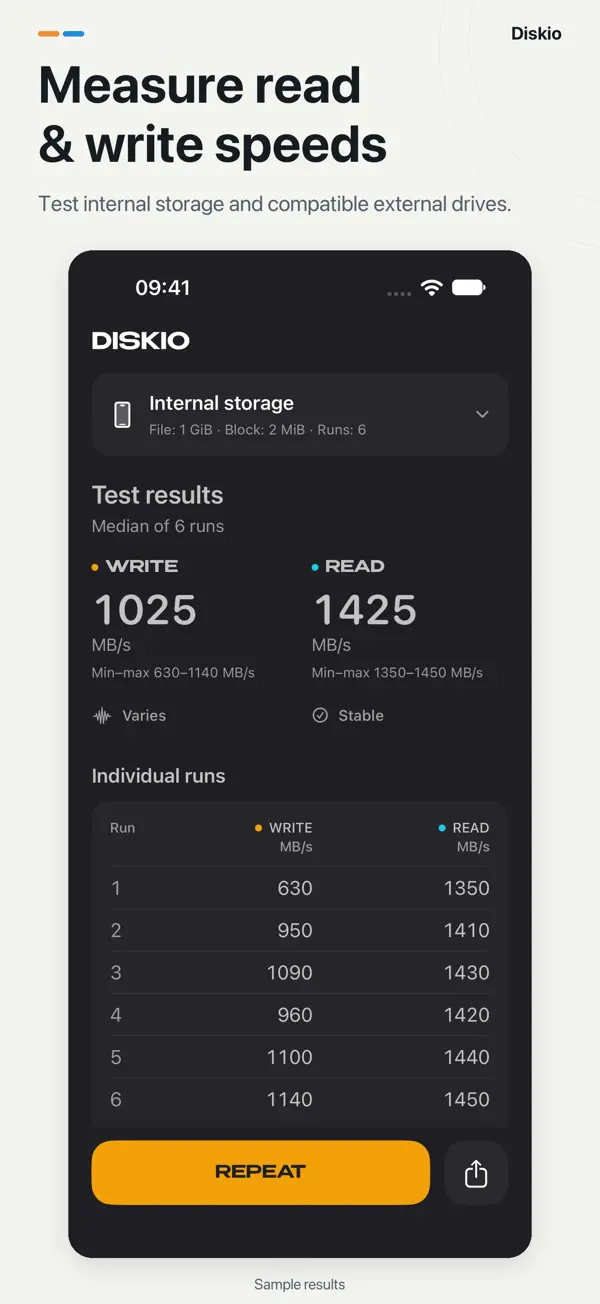
Choose 1, 3 or 6 runs. Repeated tests show median read and write speeds, minimum and maximum values, and the result of every run.
With 6 runs, assess read and write consistency separately over the last five. Open the explanation to see how each assessment is made.
Choose internal storage or a compatible, writable external drive through Files. Your device, cable and connection all contribute to the result.
Set a 1–5 GiB file and a 1, 2, 4, 8 or 16 MiB block. Start with the defaults: 6 runs, a 1 GiB file and a 2 MiB block.
Watch each write and read phase fill its own progress arc. Low-space messages help you understand when storage conditions may affect a test.
Share a result card with the report, test settings and stability assessment. Light and dark appearances, larger text and Reduce Motion are supported.
The current app, from the first measurement to the shared report. Select an image to view it full size.
1 of 6
New in 3.1.0
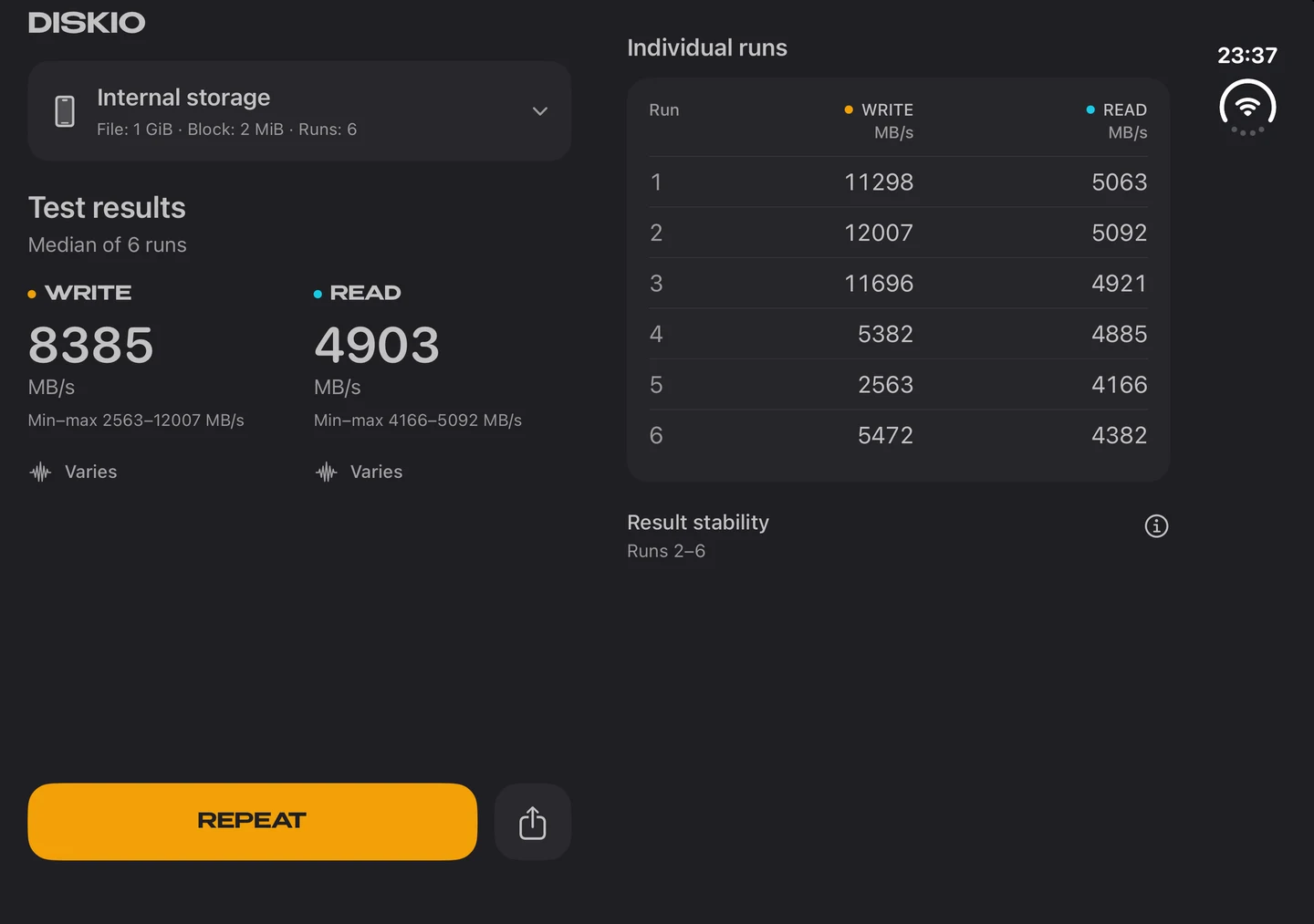
On iPhone Duo, controls and results get their own space. The layout adapts to the display and fold, while narrow Split View windows stay compact.
Your completed report and open panels stay available as the layout changes. Independent scrolling keeps long reports accessible, and a new test brings its progress back into view.
Diskio measures sequential file reads and writes in MB/s. Write timing includes the final filesystem synchronization. Results depend on your device, drive, connection, free space and test settings.
The stability assessment adapts numerical criteria from SNIA SSS PTS. It does not establish full SNIA compliance, drive health or sustained performance. The revised method in version 3.0 means results may differ from older versions.
Allow enough free space for a temporary test file. External storage must be accessible and writable through Files.
3.1.0
Dedicated space for controls and results, compact narrow windows, and better handling when leaving or returning to the app.
3.0.1
German across settings, results and shared reports, with improved localized permission and storage-space messages.
3.0
A redesigned interface and icon, revised measurements, repeat runs, stability assessments, clearer progress and low-space warnings.
Diskio for iPhone · iOS 16.0 or later
Available in English, German, Japanese, Simplified Chinese, Spanish, Ukrainian.
Privacy policy